
Columns AI
Freemium
Columns AI turns files and connected data into scheduled workflows, structured datasets, branded charts, alerts, and shareable reports using plain language.

AI business intelligence tools take the slow parts out of working with data: pulling numbers together from different systems and working out what changed. Instead of writing queries or waiting for an analyst, you connect your sources and ask questions in plain English, and the tool answers with a chart or a written summary.
The category is broad. Some tools move data from ad platforms and analytics into dashboards and spreadsheets. Others read large document sets and return cited answers. A third group runs customer research or watches websites and marketplaces for changes.
Treat AI analysis as a fast first pass. Check the numbers behind a chart before it goes into a decision, especially when a tool blends data from several sources.
Columns AI turns files and connected data into scheduled workflows, structured datasets, branded charts, alerts, and shareable reports using plain language.

Windsor.ai connects 350+ marketing and business data sources to BI tools, spreadsheets, data warehouses and AI assistants, with scheduled syncs for automated reporting.

Marketing reporting platform for agencies that blends 35+ data sources into AI-built dashboards and Google Sheets, flags broken tracking daily, tracks client goals and connects to Claude through MCP.

Hebbia is an enterprise AI research platform for finance and legal teams that analyzes filings and market data with Max and Matrix, citing a source for every answer.

AI knowledge management tool that proactively surfaces relevant saved information while you work, helping researchers, consultants, and analysts turn information overload into actionable insights without manual searching.

DimeADozen writes source-linked validation reports on startup ideas, covering demand, competitors, unit economics and risks, with a free idea score and one-time paid reports.

AI customer research platform where an AI interviewer runs voice interviews with screened participants, then writes a report linking every finding to its clip.

Parliant conducts AI conversational surveys with adaptive follow-up questions, accepts typed or spoken answers, and groups customer feedback into themes for review.

Browse AI is a no-code AI web scraper. Point it at any website and it pulls the data into a spreadsheet or API, then monitors the page for changes.

Thunderbit turns websites, PDFs, and images into structured tables using AI field detection, pagination, subpage extraction, scheduled monitoring, and direct spreadsheet exports.

Hexowatch monitors web pages for price, stock, content, code and availability changes, and its AI version OR:ON takes plain-language rules and explains each change with a before and after.

EveryInfra gives AI agents structured public data and web search through one remote MCP connection, with metered billing and tools for processing collected results.

Opal44 connects to Google Ads and explains in plain English which keywords, ads and search terms bring leads and which waste budget, with alerts and read-only access.

Aircall is a cloud phone system with AI Voice Agents that answer calls 24/7 and AI Assistants that coach reps live and log calls to your CRM.

Viktor is an AI employee in Slack and Microsoft Teams that prepares reports, updates connected tools, runs scheduled tasks and builds internal apps with human oversight.

QuickBooks is accounting software for US small businesses, with Intuit Intelligence chat and AI agents for bookkeeping, invoice payments, sales tax checks and financial insights.

Seamless.AI finds business emails and phone numbers, enriches contact lists and uses AI research and messaging tools to help sales teams prepare relevant outreach.

RankPrompt tracks brand mentions and citations across AI search platforms, with US market targeting, competitor comparisons, content tools, and reports for businesses and agencies.

Apollo combines AI prospect research, B2B contact data and email outreach, with US location filters, calling options and sales workflows for founders and teams.

Typeform builds AI forms and surveys with adaptive follow-up questions, then automates follow-ups with Growth Flow and runs AI-moderated interviews with Research Flow.

AI notepad for meetings that works without a bot, turning your notes and the call audio into structured notes, action items and pre-meeting briefs.

Context.dev gives AI agents and apps an API to search the web, scrape pages into Markdown or structured data, answer questions from live pages and pull brand data.

Upmetrics combines AI guided business plan writing, financial forecasting, pitch deck creation and plan versus actual tracking with QuickBooks and Xero in one collaborative workspace.

Robylon AI deploys agents that resolve support tickets and handle sales and follow-ups across email, chat, voice and WhatsApp, taking real actions in your systems.

Speak AI transcribes meetings, interviews and media, then analyzes themes, sentiment, action items and patterns across a searchable, multi-model conversation intelligence workspace.

Keywords Everywhere shows search volume and CPC on Google, YouTube and Amazon, analyzes AI Overviews and sends keyword data to ChatGPT and Claude through MCP.

Madgicx analyzes and automates Meta ad accounts with AI recommendations, creative intelligence, custom rules, bulk launching, reporting, and optional server-side tracking.

Brand24 monitors brand mentions across 25 million online sources, with AI sentiment analysis, spike detection, topic clustering and a Brand Assistant that answers questions.

Klaai uses Claude to draft balanced bookkeeping entries from receipts, invoices, documents, and instructions, with human approval, tax handling, reports, and multi client practice tools.

Wellows tracks where your brand is cited in ChatGPT, Perplexity, AI Overviews and Gemini, then turns citation gaps into a plan for new content and outreach.

Consensus searches peer reviewed research, produces cited AI summaries, compares evidence, analyzes individual papers, and builds structured literature reviews from scientific sources.

Jupid categorizes transactions, prepares Schedule C records, estimates US taxes, answers questions from connected books and links to compatible AI assistants.

TaxGPT is an AI platform for US tax professionals that answers tax research questions with citations and reviews returns, documents and client communications in one workspace.

Nexscope gives ecommerce sellers product and keyword data from marketplaces like Amazon and TikTok Shop, plus AI tools that turn product photos into listing images and UGC video ads.

GitMind is an AI mind mapping app that turns text, YouTube videos, audio, PDFs and images into mind maps, summaries, flowcharts, quizzes and infographics.

Prepares enterprise sales teams for key meetings with AI briefs on stakeholders, deal health and competitive position, plus an AI coach to rehearse. In private beta.

Inkle is an accounting and tax platform for US startups. Its AI Bookkeeper categorizes and reconciles transactions, and dedicated bookkeepers and tax filing are available.

Atracker is self-hosted ad tracking software for media buyers, with click and cost tracking, fraud scores, regional EdgeNodes, Telegram alerts, an AI agent and MCP access.

Semrush, now part of Adobe, combines keyword research, site audits, rank tracking and backlinks with AI visibility tracking for ChatGPT, Gemini, Perplexity and AI Overviews.

Jobber AI Receptionist answers calls and texts for home service businesses on Jobber, booking visits into your schedule and transferring urgent calls to your team.

Kimi combines AI chat, web research, multi-agent work, documents, spreadsheets, slides, websites, coding, and file analysis in one browser-based workspace.

Digits is an AI accounting platform for US businesses and firms, with automated bookkeeping and reconciliation, live financial reports, bill pay and plain-English questions about your ledger.

Govly helps US contractors find federal and state public sector opportunities, research agencies and budgets, extract procurement data and organize capture workflows.

Segwise connects ad creative and performance data, uses multimodal AI to tag individual elements, tracks fatigue, and generates new ad variations from past campaign patterns.

Puzzle is AI accounting software for US startups and accounting firms, with automated categorization, reconciliation, financial reports, insights, migration tools, and agent assisted month end close.

GanttPRO AI Gantt Chart Maker turns a plain-language project description into an editable Gantt chart with dependencies and milestones that you can refine inside GanttPRO.

TradeOS AI builds 24/7 agents that watch stocks, forex, commodities and crypto with indicators like MACD and ATR, plus AI analysis of company filings and daily movers.

Xero AI covers the AI built into Xero accounting, including the JAX assistant for questions and tasks, automatic bank reconciliation, document capture and cash flow forecasts.

FlowChartAI Image to Excel turns photos and screenshots of tables and invoices into editable XLSX spreadsheets, detecting rows, columns, merged cells and multi-column layouts.

Converts PDFs and presentations into AI video walkthroughs with real-time engagement tracking, showing sales teams exactly how buyers interact with shared documents.

TikTok Shop analytics platform with data on 1.8B+ products and 22M+ creators, plus AI tools for script writing, title generation, hooks, and outreach emails.

AI notetaker that records and transcribes video meetings, writes notes in your format, updates your CRM and finds insights across calls, with a free plan.

WebScraping.AI is a scraping API that renders pages and handles proxies and CAPTCHAs for you, then returns page content or AI-extracted JSON fields from any URL.

Respan is an open-source AI gateway to 1,000+ models with built-in tracing, monitoring, evaluations and red-teaming for teams running AI agents in production.

AI-powered user research without the recruiting. Articos runs synthetic persona interviews and landing page tests, returning structured audience insights in around 30 minutes.

Nightwatch AI Tracking monitors your brand's visibility in ChatGPT, Perplexity, Claude, and Google AI Overviews. Track citations, sentiment, and competitor mentions across AI search.

MoveAlerts.ai uses AI to turn market news, SEC filings and posts on X into real-time bullish or bearish stock alerts, delivered in Telegram for 10,000+ stocks.

YouWare is an AI work agent that turns your files and a request into slide decks, sourced research reports, Excel spreadsheets or websites, using teams of specialist agents.

AI meeting assistant that joins Zoom, Meet and Teams calls to transcribe and summarize them, with searchable transcripts, 200+ AI Skills and a free plan.
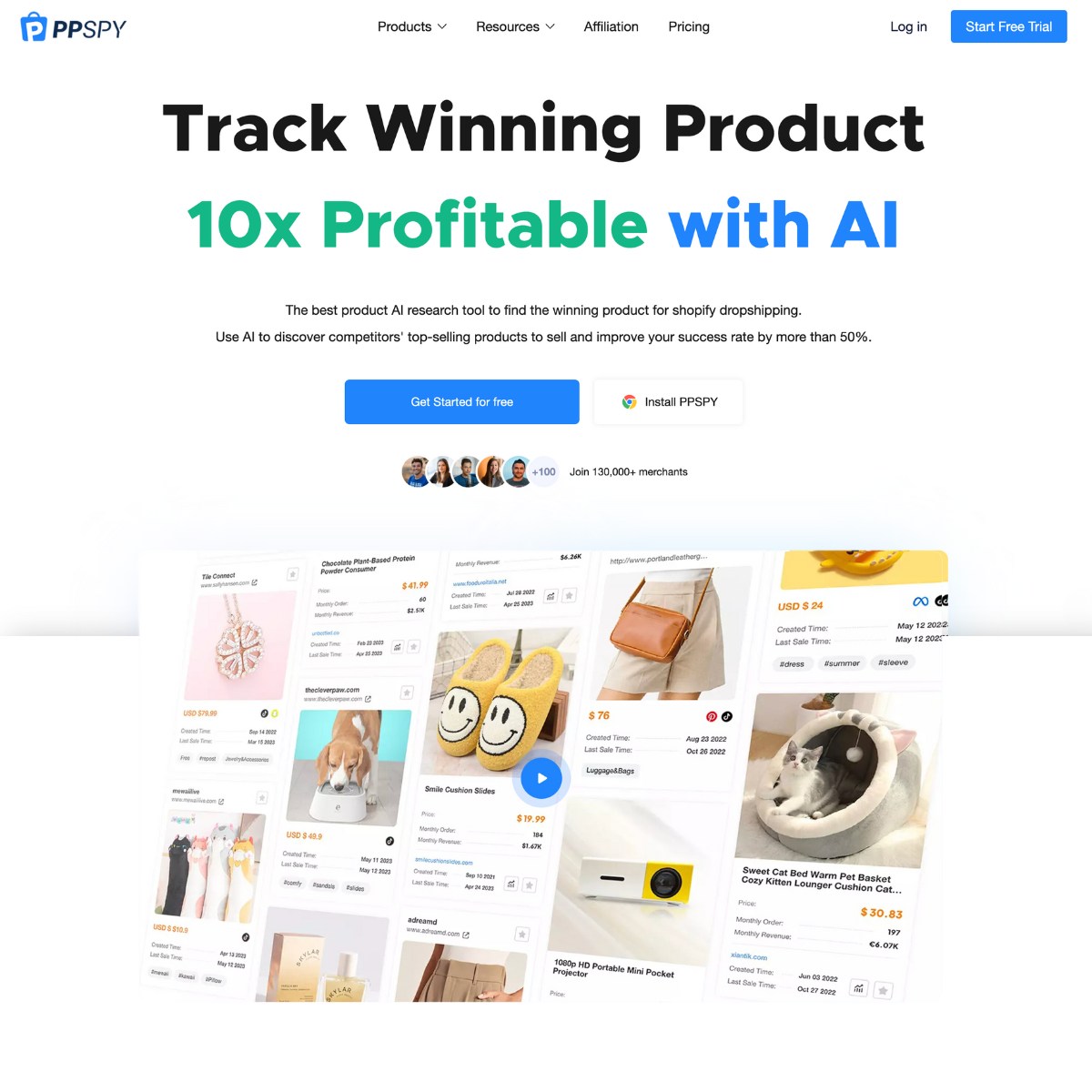
PPSPY helps Shopify store owners find profitable products and analyze competitors using AI-powered analytics. Track sales data, research winning products, and study successful store designs.

Numerous.ai adds AI functions to Google Sheets and Excel for bulk writing, classification, extraction, translation, sentiment analysis, data cleanup, and formula assistance.

Voluum is an ad tracking and attribution platform for media buyers and affiliates. It tracks campaigns across ad networks and routes traffic to the best-performing landers with AI.

Research Studio turns interview recordings and survey data into personas, user journeys, jobs to be done and user stories with drag-and-drop AI analysis widgets.

AI workflow platform for insurance and wealth management firms, where an assistant builds onboarding and intake workflows from plain language, with document processing and 150+ integrations.
| Tool | Best for | What it does | Pricing |
|---|---|---|---|
| Columns AI | Reports from files and connected data | Turns data into scheduled workflows, branded charts, alerts and shareable reports from plain-language requests | Freemium |
| Windsor.ai | Getting marketing data into BI tools | Connects 350+ marketing and business data sources to BI tools, spreadsheets, warehouses and AI assistants | Freemium |
| Two Minute Reports | Agency client reporting | Blends 35+ data sources into AI-built dashboards and Google Sheets and flags broken tracking | Paid |
| Hebbia | Finance and legal teams | Analyzes large private document sets and returns cited answers | Paid |
| Liminary | Researchers and consultants | Surfaces relevant saved information while you work | Free |
| DimeADozen | Validating a business idea | Writes source-linked reports on market demand and competitors | Freemium |
| User Evaluation | Customer interviews at scale | An AI interviewer runs voice interviews and links every finding to its clip | Freemium |
| Parliant | Conversational surveys | Asks adaptive follow-up questions and groups answers into themes | Freemium |
| Browse AI | Web data without code | Pulls website data into a spreadsheet or API and monitors pages for changes | Freemium |
| Hexowatch | Competitor and price monitoring | Watches pages for price and stock changes and explains each one | Freemium |
Start with where your data lives. If most of it sits in ad platforms and analytics, a connector such as Windsor.ai moves it into Looker Studio or Power BI on a schedule, and Two Minute Reports builds client-ready dashboards on top. If your data is a mix of files and databases, Columns AI turns plain-language requests into charts and recurring reports.
For questions that live in documents rather than tables, look at tools built for cited answers. Hebbia is aimed at finance and legal teams working through large private document sets. Liminary suits individual researchers who want their saved material to resurface while they work.
Research tools replace slow surveys and interviews with faster AI-led versions. User Evaluation runs voice interviews with screened participants, and Parliant runs conversational surveys that ask follow-up questions. Before you build anything, DimeADozen can write a source-linked validation report on a business idea.
Much business intelligence starts on other companies' websites. Browse AI and Thunderbit pull prices and listings into spreadsheets without code, while Hexowatch alerts you when a competitor changes a price or a page.
You connect your data sources, such as ad accounts, analytics, a CRM or spreadsheets, and the tool combines them. You then ask questions in plain English and get charts or written summaries back, often on a schedule.
Yes. Tools like Columns AI and Windsor.ai can work with your own data once it is connected, and spreadsheet add-ins can analyze data where it already sits. Check that the tool supports your data sources and how it stores your data before you connect sensitive accounts.
Agencies reporting to clients often use Two Minute Reports, which builds dashboards from many marketing sources. Teams that already use Looker Studio or Power BI can keep their dashboards and use Windsor.ai to feed them.
AI is good at summarizing and spotting patterns, but it can misread a column or mix up time periods. Treat the first answer as a draft and check the figures behind any number you plan to act on.