 TRY IT
 Clico
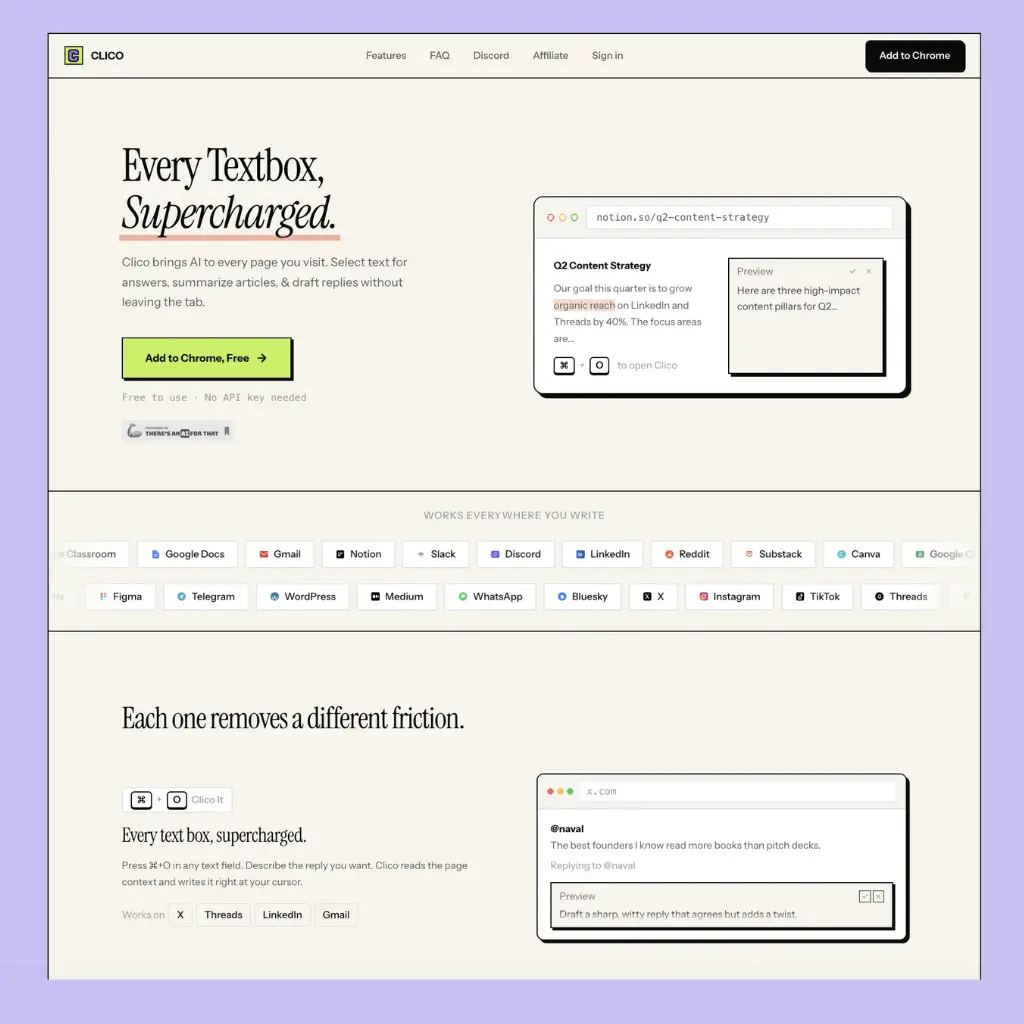
Most AI writing tools require you to open a new tab, paste in your context, get your answer, then go back and type it yourself. Clico cuts that loop entirely. It's a browser extension that puts AI directly inside every text field you already use, reading the page around you so it knows what you're working on.
The core shortcut is `⌘+O`: press it in any text box on any page and Clico reads the visible content around your cursor, then drafts, replies, or rewrites in context. It works in Gmail, Google Docs, Notion, Slack, Discord, LinkedIn, Reddit, Substack, and 20+ other platforms without any configuration per site.
Three other modes round it out. Memo It (double-tap `⌘`) summarises the current page into key points and action items, useful when you're reading something long and need a quick brief. Voice input lets you hold `⌘` to dictate and transcribe in real time without touching the keyboard. Highlight any text on any page and you get an instant AI explanation, handy when you're reading something technical and don't want to open a separate search.
The context-awareness is what separates it from a simple AI sidebar. Rather than requiring you to paste in what you're working on, Clico reads the visible page, so replies and rewrites are grounded in the actual email thread, document, or conversation you're looking at.
It installs from the Chrome Web Store in seconds and works on Chrome, Edge, Brave, Arc, and any Chromium-based browser. No API key, no credit card, no configuration required. The free tier covers all core functionality.
For knowledge workers who bounce between Gmail, Docs, Slack, and social platforms throughout the day, the value is mostly about removing the friction of context-switching to an AI tool and back.
Features
- `⌘+O` in any text field: AI drafts, replies, and rewrites in context
- Page-aware context: reads visible content so you don't need to copy-paste
- Memo It: one-shortcut page summarisation with key points and action items
- Voice input: real-time transcription with hold-to-speak
- Instant explanations: highlight text on any page for AI breakdown
- Works on Gmail, Google Docs, Notion, Slack, Discord, LinkedIn, Reddit, Substack, and 20+ apps
- Chrome, Edge, Brave, Arc, and all Chromium-based browsers
- Free, no API key or credit card required
<h3>Alternatives to Clico</h3>
<ul>
<li><strong><a href="https://aitoolsdirectory.com/tool/maxai">MaxAI</a></strong>: Multi-model browser sidebar for webpage, PDF, and YouTube summaries, search, rewriting, translation, replies, and image generation.</li>
<li><strong><a href="https://aitoolsdirectory.com/tool/monica">Monica</a></strong>: Browser and desktop assistant for writing, research, document analysis, email drafting, translation, and access to multiple models.</li>
<li><strong><a href="https://aitoolsdirectory.com/tool/harpa-ai">HARPA AI</a></strong>: Browser assistant covering webpage automation, summaries, data extraction, page monitoring, email writing, and SEO tasks.</li>
<li><strong><a href="https://aitoolsdirectory.com/tool/grammarly">Grammarly</a></strong>: Provides continuous grammar, tone, rewriting, drafting, and email assistance across browsers and workplace applications.</li>
<li><strong><a href="https://aitoolsdirectory.com/tool/chatgpt-writer">ChatGPT Writer</a></strong>: Focused Chrome extension for generating emails, replies, messages, and sales copy inside browser-based workflows.</li>
</ul>