 TRY IT
 Uizard
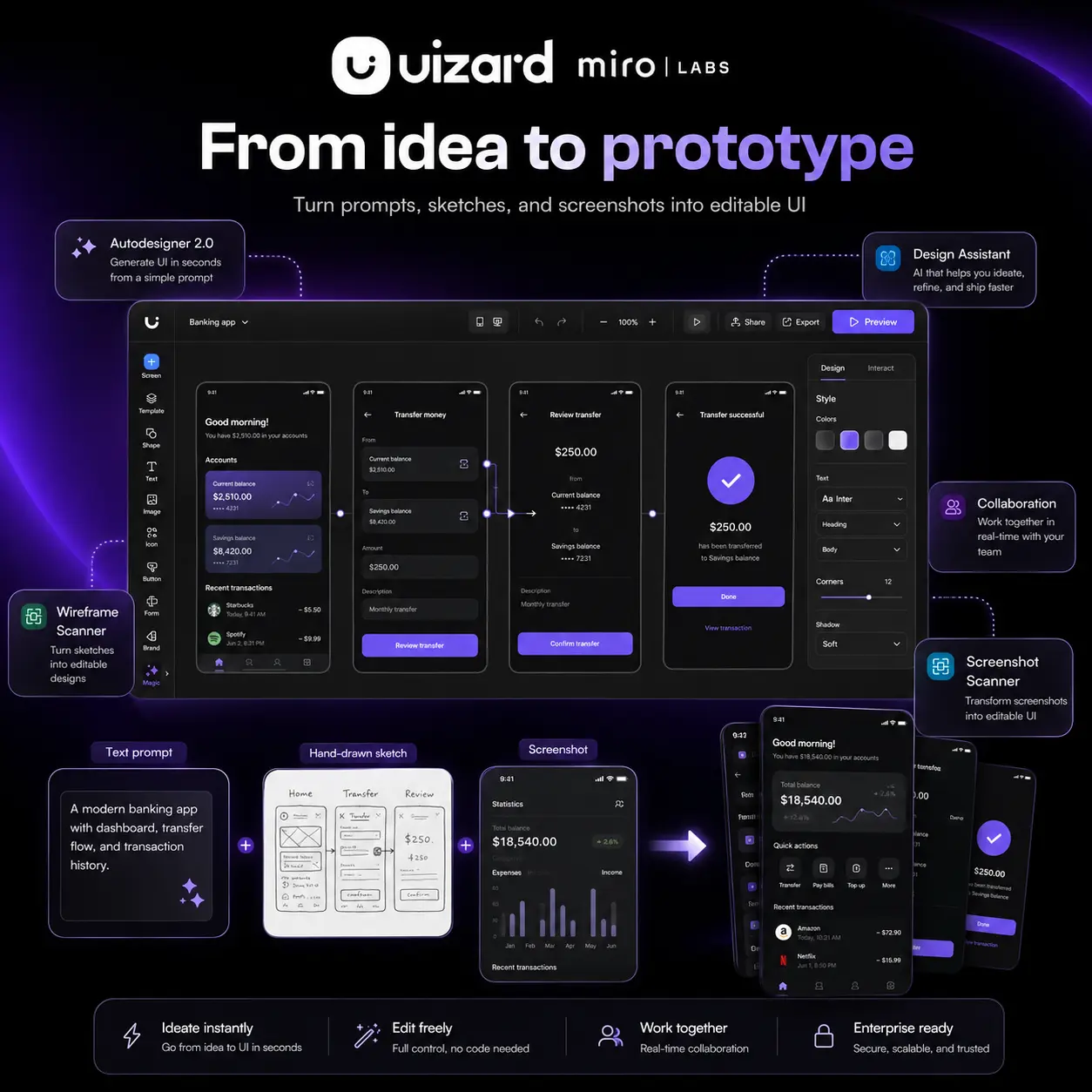
Uizard turns a text prompt, a napkin sketch, or a screenshot into a working UI prototype in seconds. For product managers, startup founders, and anyone who has ever spent hours in a design tool just to communicate a basic idea, that's a genuinely useful proposition.
The flagship feature is Autodesigner 2.0, which generates complete multi-screen project designs from a natural language description. You type what you want, pick a style, and get a fully editable set of screens. From there, the Design Assistant lets you modify components through conversation rather than menus. Want to swap the header colour or change a button style? You just ask.
Two other features stand out. The Screenshot Scanner converts any UI screenshot into an editable mockup you can rework inside Uizard. The Wireframe Scanner does the same for hand-drawn sketches. Both are practical shortcuts for moving from idea to prototype without starting from scratch.
The tool is built for collaboration. Multiple team members can work simultaneously, and viewers and commenters are free across all plans. The Pro tier adds developer handoff with React CSS export, which extends usefulness past the mockup stage.
Uizard has a clear ceiling, though. Community feedback is consistent: AI output tends toward generic and repetitive, detailed prompts don't always produce precise results, and it is not a Figma replacement. It fits best as a concept and alignment tool, not a final production environment. If you need precise outputs or complex interactions, you'll hit its limits quickly.
Uizard was acquired by Miro Labs in May 2024. It runs in the browser with no software installation required.
Uizard: Pros & Cons
| Pros (The Wins) | Cons (The Friction) |
| :--- | :--- |
| Speed:<br>Text to working prototype<br>in under a minute. | Output quality:<br>AI designs tend generic.<br>Detailed prompts often miss the mark. |
| Accessibility:<br>Non-designers can build<br>real-looking mockups fast. | Production limits:<br>Not a Figma replacement.<br>Complex interactions are weak. |
| Input flexibility:<br>Works from text, screenshots,<br>or hand-drawn sketches. | Customization:<br>Limited component options.<br>Theme creator underperforms. |
| Collaboration:<br>Unlimited viewers on all plans.<br>Good for team alignment. | Support concerns:<br>Some users report billing<br>and support responsiveness issues. |